Feb 11, 2026
Use the ✦ Hyper key
There are many ways to minmax your computer skills (I have an entire Notion database dedicated to the topic). One of the best shortcuts I’ve found is to abuse the ✦ Hyper key for app switching, frequently-used quicklinks, and jumping between complex window layouts.
What’s the ✦ Hyper key?
Imagine pressing shift + command + option + ctrl at the same time with one hand. Too hard! But what if you could bind another key, like caps lock, to simulate pressing all of those modifier keys at once? That’s the ✦ Hyper key.
The Hyper key essentially guarantees that a shortcut will never conflict with another shortcut from your active app or OS.
Hyper as an app switcher
I recommend using Hyper as an app switcher instead of traversing through the command + tab menu or hunting for an app icon in your dock. For example, here are a few of my keybinds:
✦S = Slack
✦D = Dia
✦F = Figma
✦G = Ghostty
✦N = Notion
✦M = Messages
✦P = 1Password
✦C = Calendar
Once you get used to navigating your computer this way, you’ll never want to use your dock or the command + tab UI ever again.
Advanced
If you are a Raycast-enjoyer like me, you can also pair the Hyper key with quicklinks or window configurations. To start, go to Raycast settings → Advanced → Enable the Hyper key and optionally enable the Quick Press option for a separate shortcut (for example, replacing the far-to-reach esc key).
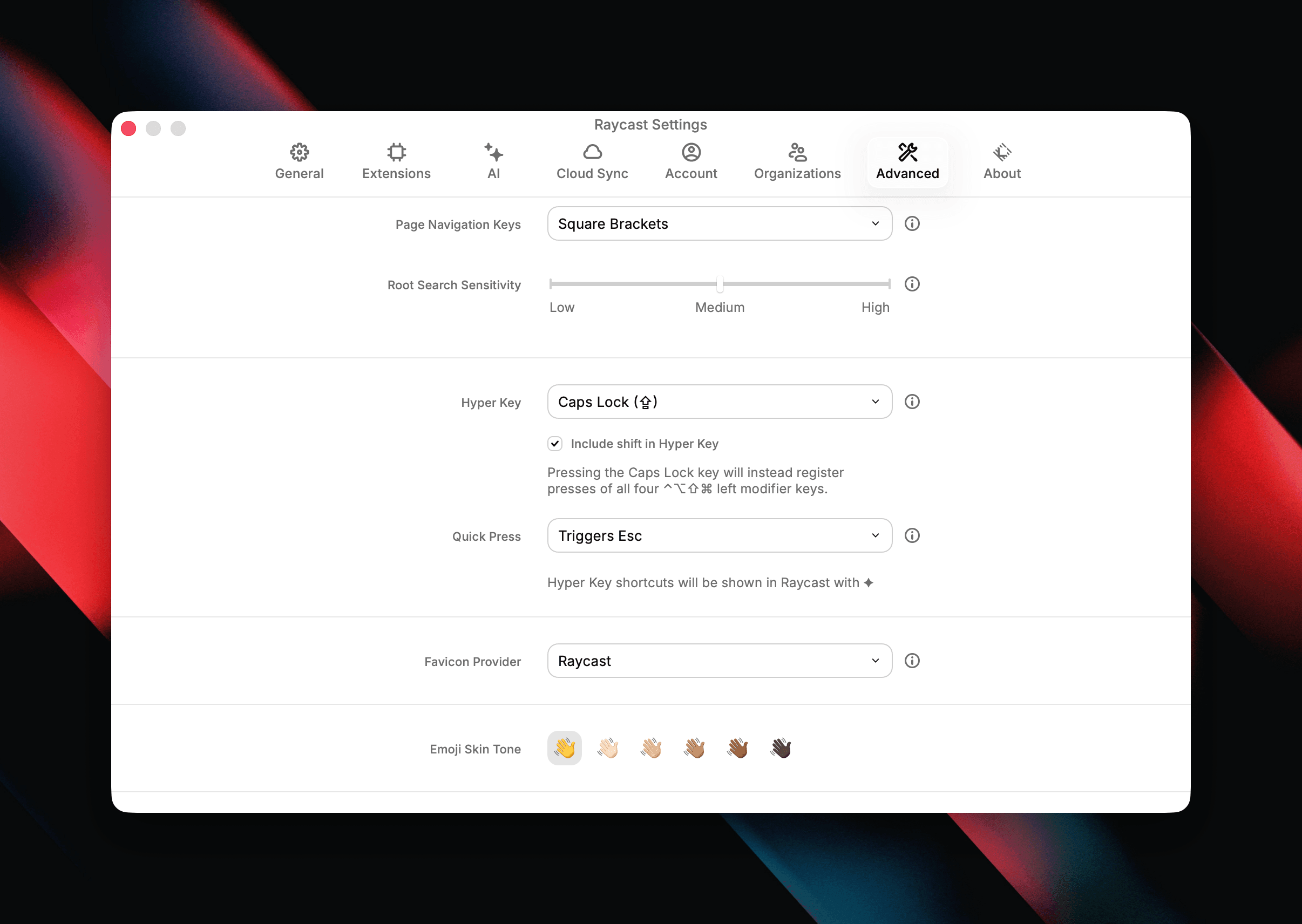
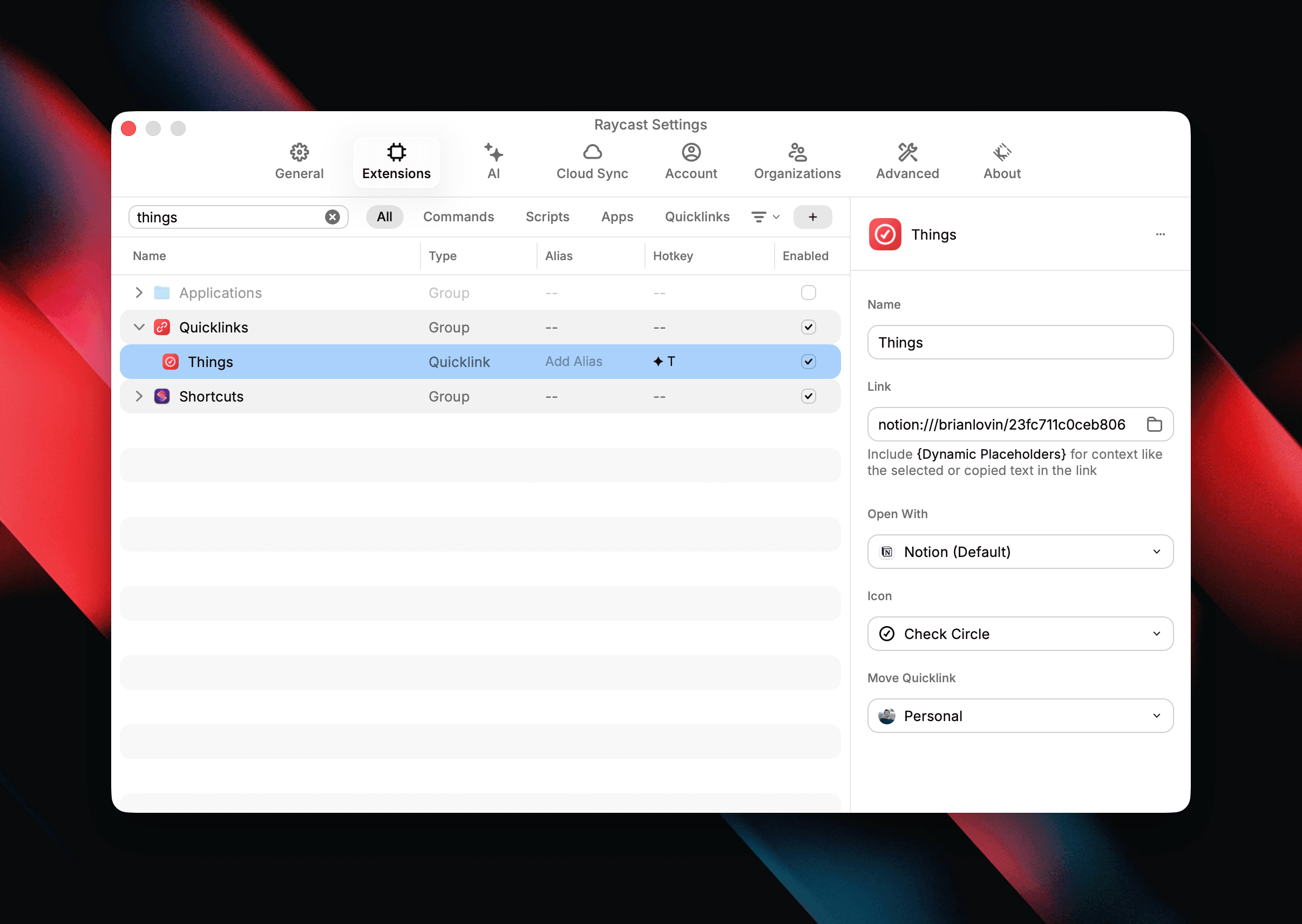
Then you can connect the Hyper key to Raycast-y things, like quicklinks or window configurations. For example, I use ✦T to deep-link to my todo list database in Notion.
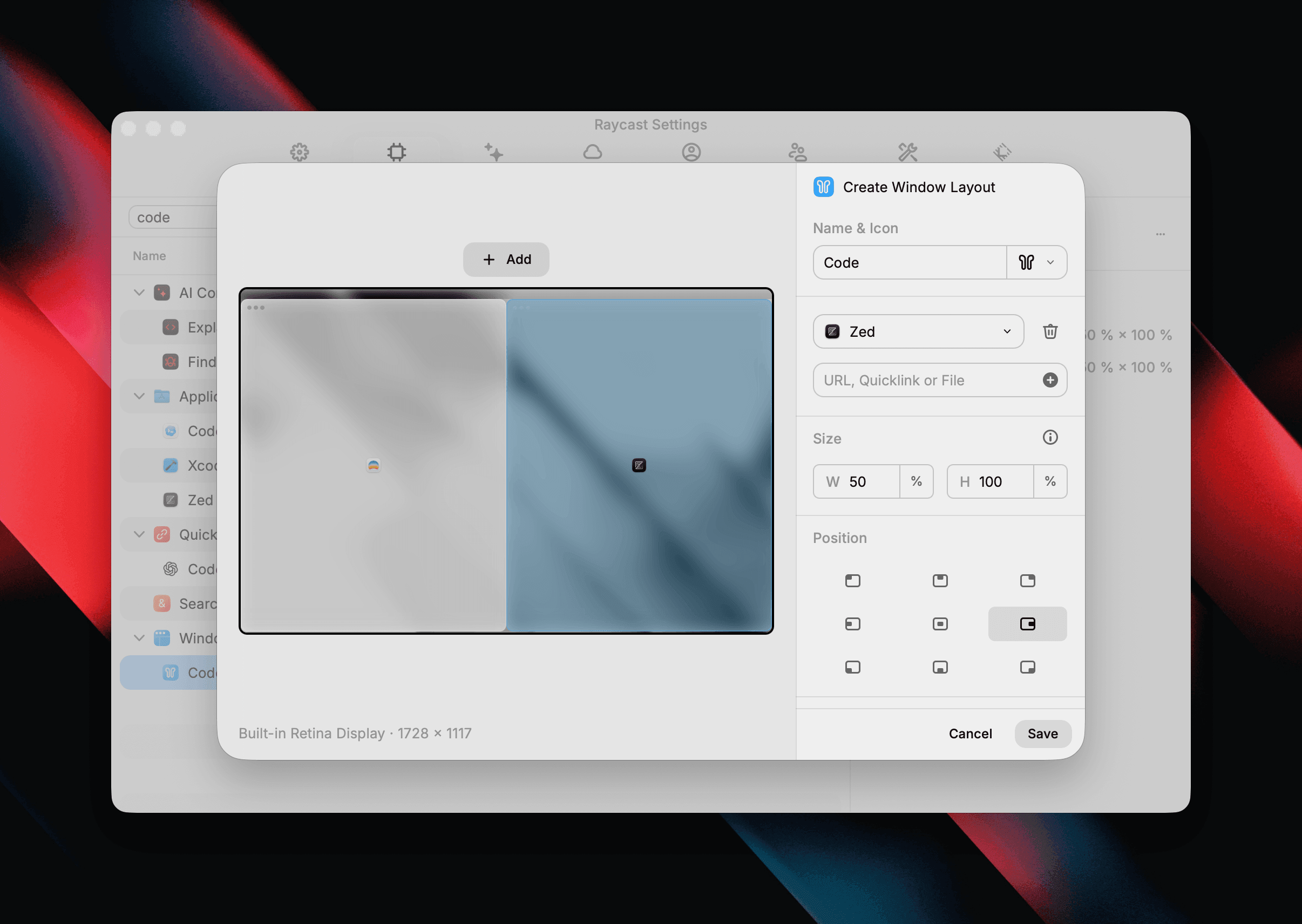
Prior to going all-in on agentic coding, I used to bind ✦G to a window layout that would put my IDE on the right half of the display and my browser on the left half.
The possibilities are endless!
As far as I can tell, the Hyper key became well-known via Brett Terpstra in 2012, who was building off a presentation/post from Steve Losh. The latter was inspired by the Space Cadet keyboard which included seven modifier keys, one of which was ✦ Hyper, to allow for complex keyboard “chording.”