Get the top HN stories in your inbox every day.
generalk
andrepd
I use cinnamon, for that very reason. Just works, and works well for my use case, is very stable, and I've no wish to learn and configure another desktop paradigm.
dheera
I've been using cinnamon as well but in 20.04 the new mac-ish taskbar that conflates the quick launch favorite apps and running apps in one widget turns me off. Starting to look for alternatives that aren't trying to copy Apple.
Installed apps and running instances of installed apps are different concepts, damnit, and I don't need a phone-like interface that fakes the idea that all apps are "always running" when they are not.
stjohnswarts
KDE? You would be surprised at how small it's footprint has shrunk, it's as small or smaller than cinnamon now.
andrepd
1. It's not a mac-ish taskbar, if anything it's a Windows 7-ish taskbar. If they're trying to chase new trends they're 11 years late ;)
2. You can disable that feature and use old-style taskbar. In fact it's a prominent toggle in the first-run config window.
noir_lord
Lack of Wayland support is the single thing I have wish it had.
Gnome is so smooth on Nvidia in comparison but in every other way I prefer and still use cinnamon
croh
Cinnamon with Mint is very stable and tuned, very good to get job done. It has very low cpu consumption. I don't know why but gnome always eats lots of resources. Plus this very old famous bug, keep me away from gnome-shell for good.
greendude29
Hmm, interesting.
I user Gnome on Nvidia, but use the open drivers since Nvidia was difficult to get to a stable state.
Did you just install the nvidia drivers from your OS's repo or get them directly from Nvidia?
NB: The free drivers are working splendidly by the way
stjohnswarts
same here. the 4 quadrants limited tiling works pretty well. Sometimes switch over to KDE as well just to have a change of pace but unsurprisingly it works a lot like cinnamon, just with a lot more options that I dont' really change from the default :)
phkahler
Thanks for pointing out that it supports floating windows. I use a 55" 4k monitor so I manually lay out my app windows and would hate tiling (only rarely used stuff goes up top and I drag those down when needed). I use and like gnome but there are a few thing I hate about it so I'll give this a try.
ebiester
Tiling people would create a group up on the top. When you want to bring it down, it's just a keyboard command away.
After going back to mac (for work reasons), It's been a painful experience adjusting to the lack of tiling.
confounded
> After going back to mac (for work reasons), It's been a painful experience adjusting to the lack of tiling.
Same situation, I use ‘yabai’ on macos, which is similar enough to i3 for me.
michaelsbradley
Tiling isn't particularly difficult to implement on macOS with e.g. Phoenix:
https://github.com/kasper/phoenix/
I hacked something together several+ years ago (see below) based on someone else's config, and I've maybe edited it twice since then, so it likely can be substantially improved. Also, I'm sure it's not as slick as a true tiling manager, but I've certainly gotten a lot of mileage out of it:
https://gist.github.com/michaelsbradleyjr/a8ef81982420d06118...
ycombinete
how far away from the screen do you sit?
phkahler
Looks like between 2 and 3 feet - closer to 2. I use the huge monitor like the virtual desktop - we've all heard the metaphore but don't really use it. Spreading things out left to right is fine, but I don't like to tilt my head to look up (I have progressive lenses so that's worse for me than younger people), so the top is - like further away areas of a desk - where I shove things I don't need right now but want nearby. So if you're wondering how I can see the whole thing up close the answer is that I don't need to or try to. I might roll my chair back a bit if I want to watch a full-screen video.
Naac
I would check out Regolith[0]. It's i3 on top of gnome, so you get the best of both worlds. It's available as a distro or an Ubuntu PPA.
nyolfen
i switched to regolith a few months ago on my desktop and +1 this; convenient defaults that are relatively close to what i previously built up on my own, and overall a nice preconfig for i3+rofi. the only real tweak it needs out of the box is enabling tray icons.
danans
> I really want to love tools like i3 or awesome, but I always go back to Gnome because it juts gets stuff done. I liked Gnome 2, I like 3
My approach is to use the window manager best suited for the task, but all at the same time.
That means for my highly structured multi-desktop, multi-git-workspace programming tasks I use i3, which is ideal for those.
However for my less structured tasks like writing or consuming documentation, email, and personal web browsing, I use a more conventional, less constrained desktop environment (i.e gnome), which is more ideally suited for those tasks.
If I'm willing to abuse the term window manager a little further, Vim running inside i3 serves as a third window management environment I run in parallel, optimized specifically for code editing.
The trick is that I use i3 in its own separate Linux desktop window (In my case running on a remote machine, but you could just as well do this running in a local VM). this allows me to have both environment successful on the same screen at the same time.
This also has the added benefit of making it very easy to find my code editing window among the tons of other windows I have open.
cflewis
How do you access the Material Shell settings? I can't find them _anywhere_.
globuous
Open up gnome tweak tool, go in the extensions tab, and on the "material shell", there is a little cog next to the switch. Click on it and there you have the available configuration options made available. Actually, this is how you can configure most shell extensions ;)
yrro
I find the app-based window navigation in vanilla GNOME 3 rather frustrating, and try as I might, I just can't get comfortable navigating between what I think of as applications.
This is because I have a few applications (Firefox, Terminal) that are really not applications in and of themselves; the applications are really Outlook, JIRA, Confluence, Slack, OpenShift (logged in as cluster admin), OpenShift (logged in as my regular user), that quick terminal session I opened to work on a script, the SSH connection to an OpenStack director, the 'oc rsh' command that I'm using to administrate a PostgreSQL database running in OpenShift, and so on.
This becomes far worse when using multiple monitors. Say I have teams hanging around on my secondary monitor to keep an eye on stuff. I literally just now alt-tabbed into a terminal and then alt-tabbed back to continue writing this comment. As a result, I'm back in Firefox on my primary monitor (as expected) but now I have an unwanted random Firefox window that I forgot was even open on top of Teams on my secondary monitor!
The only window manager I've ever been at home with while using multiple applications, workspaces and monitors has been i3. Specifically I love how it manages multiple monitors in that each has a current workspace, but workspaces are not bound to a particular monitor. So I was able to have my secondary monitor always showing my 'Slack and email' workspace, and switch between my multiple task-based workspaces on my primary monitor and never get confused like I with GNOME where I want to switch to my email tab but to get there I have to remember ahead of time that I have to switch to my first workspace, then switch applications to Firefox, then switch windows to the one with Outlook in it, and finally switch to the Outlook tab...
Anyway. This project looks awesome and I will try it out!
bobince
Very this.
My mind is not app-centric. I want the shell where I'm looking at logs, the editor where I'm taking notes, the browser where I'm checking some doc. I don't care to think about which terminal application the shell is inside, select that, then find I've opened a different terminal window and have to search through the windows separately. I don't care whether the doc is loaded in Firefox or Chromium so don't ask me to choose based on that.
IMO app-centric task switching works much, much less effectively than window-centric task switching; I hate that all the major DEs have copied the same basic app-based dock design that has been failing in obvious ways since day one.
(Although Windows can at least configure grouping away, and there's the dash-to-panel extension to make GNOME tolerable again.)
I get that an app-centric view is attractive to app developers, who would love me to be engaging with their brand. And that mobile has its own reasons for putting apps in silos. Does nothing for me as a desktop user though.
transpostmeta
It's interesting. Microsoft agreed with this philosophy and fought tooth and nail against tabbing in browsers, opting instead that each browser tab be it's own window and accessible from the task bar. After all other browsers had switched, they were forced to introduce that in IE as well.
The worst offender here is OSX. I still haven't figured out a good way to switch between multiple open windows of the same application, not even the file explorer (Finder). It's a huge pain.
michaelmrose
They were wrong. Emphatically. Ridiculously wrong. Remember for context that virtually nobody was using virtual desktops for windows as it not part of the UI unless you installed it and it sucked besides. Also remember most people's internet was very very slow. Screens were also not that big. Not that they are much bigger now with everyone using laptops.
Grouping related windows in the task bar makes it frustrating to use it because everything involves multiple clicks. Once you got beyond a certain number of apps the task bar sucked without grouping because there wasn't enough text to display a long enough label to distinguish between windows.
When something takes a long time to load you are incentivized to create a new tab if you might want to come back to that resource rather than waiting for it to load again. This absolutely incentivizes using multiple tabs. If you have 8-12 browser windows + 2 or 3 other windows you are already past the threshold where you have to group windows in the task bar to use it and are now changing tabs by moving your mouse at the way to the bottom of the screen clicking on the browser icon and then hunting for the desired text then clicking again. This is in a word annoying.
if your browser supports tabs you can have 2-3 other windows and 2 browser windows and use an ungrouped taskbar. You can also hit one hotkey to open a new tab or use in browser tab switching in place of all desktop window switching to switch between several. This is much much much better.
Even if all other sins were removed the browser tabs represent a logical grouping and additional context that would be lost with just windows.
I can close them as a group I can book mark them as a group I can save them for later perusal as a group. I can use a side tab extension to more easily switch between a large number of tabs. I can right click on a link and open several links in the background without changing my current context.
They designed a user interface that was only useful for grandma opening 1 browser window at a time and maybe 2 apps at a time.
ctrlrsf
Just press Command-` to switch between windows of the same application. Command-Tab to switch between windows of other applications.
RussianCow
> The worst offender here is OSX. I still haven't figured out a good way to switch between multiple open windows of the same application, not even the file explorer (Finder).
I use HyperSwitch[0] on macOS to solve this issue. I use it to override the default Cmd+Tab behavior to cycle through windows on the current desktop. It's become one of the first things I install on a new machine.
choosegoose
I've found https://contexts.co/ to be the best solution for OSX. It wont let you ⌘+tab through the browser tabs but if you have multiple windows of the browser open you can see them individually.
rewgs
Cmd+tab for apps, cmd+` for apps' windows.
undefined
giantrobot
Cmd+` will tab between windows of the current application.
Symbiote
I miss an older KDE feature, which was custom tabbed windows. You could easily Alt+Tab between windows, and then use another shortcut to move between tabs.
https://cdn.arstechnica.net/wp-content/uploads/archive/kde44...
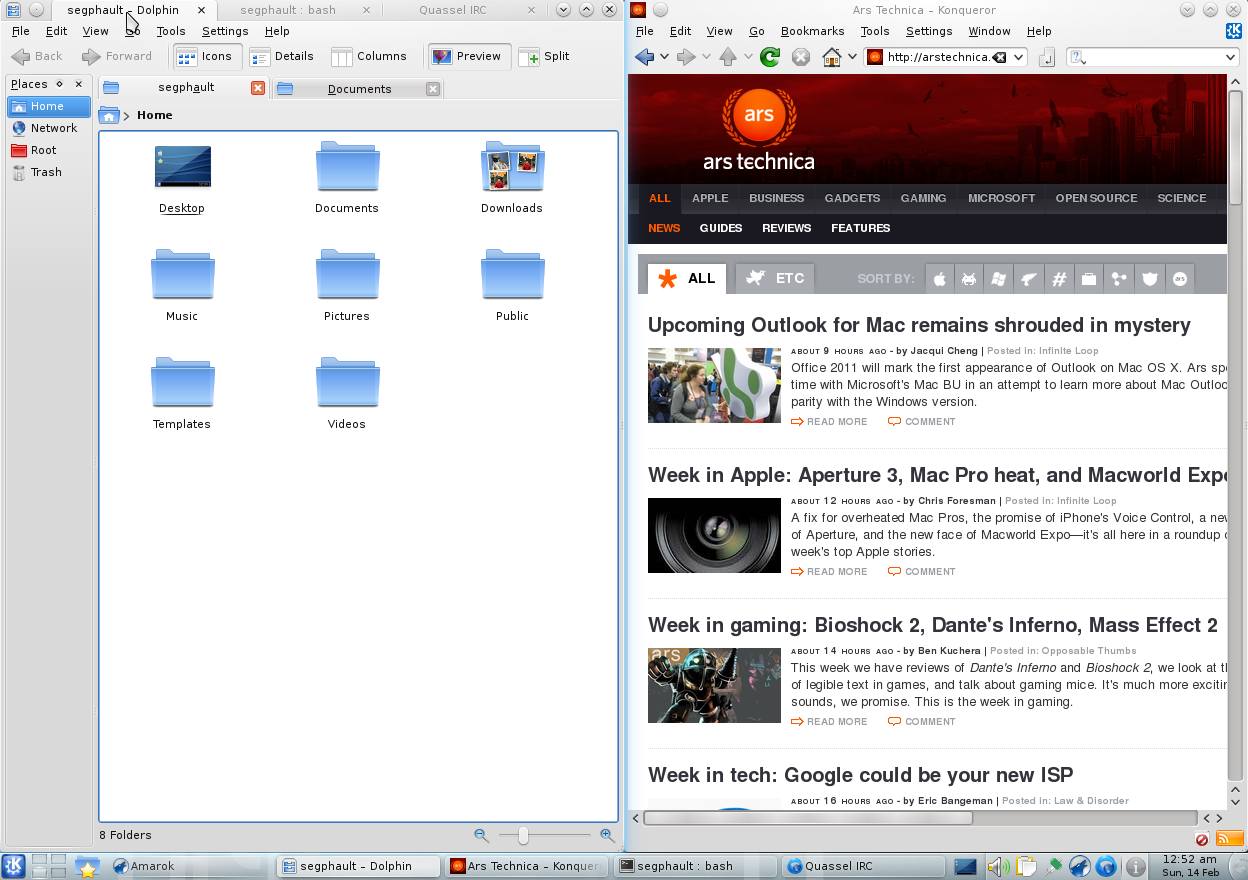
That way, I could put the service logs/terminal on one side, and the IDE and e.g. running website in another window.
You can get this with i3 or any other tiling window manager, but I found too many cases of odd behaviour with i3 and gave up on it.
slipheen
fwiw, this (Material Shell) feels very similar to that.
I can have a tab for Thunderbird, Slack, and Jira in my "Communication" workspace, and Meta-A/Meta-D to swap between them.
Each has a little tab in the top bar that highlights the currently selected tab.
Angeo34
So how do you solve this on other Desktops? Do you use the window previews or is there any other way? Because Windows and Mac both only show icons as well and Youd have to look at the names or previews of the Windows to know exactly which one you'd want. The grouping of applications can be disabled in gnome tweak
waz0wski
If you're on OSX, try using https://contexts.co for your switcher, and https://www.alfredapp.com for your launcher
Contexts gives additional 'switching' options on different hotkeys, fuzzy window searching+selection, history-based selection, and no mouse interaction required (but it is supported)
I dedicate spaces to tasks, eg communications, monitoring, and 3-4 development task spaces with tools/docs/terminals
I have Contexts setup as follows:
    cmd-tab: cycle thru all visible windows of all apps on current space
    opt-tab: cycle thru all windows of all apps on all spaces (include hidden/minimized)


    cmd-~: cycle thru all windows of focused app on current space (include hidden/minimized)
    opt-~: cycle all windows of focused app on all spaces (include hidden/minimized)


    cmd-space: activate Alfred
    opt-space: search/activate of all running apps on all spaces
I also use Totalspaces (https://totalspaces.binaryage.com/) to give a 'grid view' spaces overview & manage app-space pinning, Stay (https://cordlessdog.com/stay/) to manage static window placement & sizing, and Sizeup (https://www.irradiatedsoftware.com/sizeup/) for dynamic window movement
a1369209993
Each logical application (eg HN or ssh-to-example.com, not firefox or terminal) is in a separate window. The window list at the bottom of the screen shows a list of which windows (not physical applications) exist, and then I click on the window(-list-entry) button thingy for the (logical, not physical) application I want.
> Because Windows and Mac both only show icons as well
Windows (version Vista or worse, because this definitely wasn't a problem in XP) and Mac are defective by design then.
dkersten
I recently switched to Sway because gnomes workspaces annoyed me too much. Let me choose a workspace independently on each monitor please! On i3 I was getting really bad screen tearing, even with conpton/picom otherwise I’d have just used that, but Sway/Wayland has no such problems.
Sadly a few things don’t work so well in Wayland. For example, Windows games under Proton work fine on X but not on Wayland/Xwayland (I guess since they’re not Wayland aware they can’t bypass the compositor?)
So, I too will try this project out as it looks like it may be a nice middleground where I can be productive in gnome on X.
shock
Maybe you would find PaperWM useful. You can move workspaces among different monitors seamlessly.
dkersten
Thanks! I'll give it a try. It looks like it might help.
In general, I'm happy with Sway, but it would be nice to have an X option that works for my workflow too (gnome doesn't seem to have the screen tearing issues i3 did).
ews
Same, after years of X/i3 tearing and unsuccessfully tweaking compton, I switched to sway/wayland on arch and couldn't be happier.
mijoharas
The only thing I find annoying is the lack of screen sharing on zoom. Zoom claims they support wayland on arch, but unless I made a mistake or something, that's just not true.
Some wine things don't work properly too, which is somewhat annoying, but I only have one wine application I run very rarely, so it's not too onerous to boot back into i3 for that.
vladvasiliu
You can kind of implement this in Gnome 3 by putting windows that go together on a workspace, the same way you do in i3. Hoewever, using workspaces in Gnome never felt as fluid as it does in i3.
INTPenis
It rarely affects me. I'd say 99% of my time in Gnome is spent in either Firefox or terminal.
Suddenly I'll need a program so I hit windows key, type in the start of the program name, and smash the Enter key. It's super simple. What's the problem?
esclerofilo
Did you read the comment? What do you do when you have multiple windows of the same app? Do you write the name of said program and then Alt-backtick until you get to the correct window? Wouldn't it be better to have your windows grouped in a way more related to their purpose than to the app?
For example, say you're doing something (eg programming) that requires both the browser and the terminal. While you're at that, you want to do something that also requires both the browser and terminal (eg checking something in a terminal-based todo app to reply something to your coworkers in a web based chat app). Assuming you leave these things open, you now have to do 2 switches (app switch+tab/window switch) to get to whatever you're looking for in the worst case, 1.5 switches on average.
INTPenis
No I misunderstood the comment completely.
Talking about switching between programs, yes I thought that was a bit weird in the beginning but it came up so rarely that I eventually learned the habit of using alt+§ (on swedish layout). It's not so bad since the key is right above Tab.
Angeo34
[flagged]
PaulDavisThe1st
Maybe if your screen real estate is limited (e.g. laptop) that is true.
I work on 3 monitors; two of them are 1920x1200, the third is a 40" 4K "TV". Nothing about the Gnome model is useful to me. I appreciate that my setup is unusual, and that I do sometimes find myself on a laptop. But I prefer to keep the paradigms consistent, and so 5 named workspaces at all times, thank you very much. I never move windows between workspaces. All of the windows in a given workspace are visible at all times.
And yes, boomer.
silon42
>I find the app-based window navigation in vanilla GNOME 3 rather frustrating, and try as I might, I just can't get comfortable navigating between what I think of as applications.
Same here. Gone from GNOME because of this.
mleonhard
I stopped using multiple monitors because managing windows across them is difficult. Now i use a single large monitor.
I wish a company would make a good portable computer to fit my work style:
- tall 20" x 12" matte screen with built-in stand to raise it up to eye level
- detachable corded tenting keyboard
- detachable corded tenting vertical mouse
- hot-swappable battery with various weights available
- thin 20-foot power cable with magnetic release on both ends
- vertical docking station with battery charge-level indicator
forgotmypw17
This sounds like an amazing design.
What does "tenting" mean in this case?
Doxin
It usually refers to a split keyboard where each half is raised on one side, allowing for a more natural wrist posture. See this diagram for an example: https://www.osha.gov/SLTC/etools/computerworkstations/images...

boogies
Doesn’t GNOME at least have a setting to change alt-tab to window- instead of app-based?
skeletal88
It does, but the fact that the default is so braindead and annoying, and that I have to configure it to make it usable, is well.. very annoying. Like, why would they think that it is a good idea? No other desktop does this.
Symbiote
Isn't Gnome just copying Mac OS X?
Cmd+Tab switches between applications, and Cmd+~ switches between windows of the current application.
undefined
spiffytech
It does, but e.g. on Ubuntu you have to install an extra configurator tool to access that setting.
tadfisher
This is incorrect; you can rebind the shell's keyboard shortcuts in Settings -> Keyboard Shortcuts. There are entries for "Switch applications", "Switch windows of an application", and "Switch windows of an app directly"; you want to switch the two that are bound to "Alt+Tab" and "Alt+`".
young_unixer
Without tweak tool, Gnome shell is unusable.
callamdelaney
Perhaps as a slight work around for gnome-3 users. I use workspaces across two monitors with the `window list` extension. To address your 'X window is not in Y workspace issue' you can assign a hotkey in gnome to move the currently active window up or down a workspace.
So I have ctrl-alt-shift-up and ctrl-alt-shift-down bound to move windows up and down.
dyingkneepad
"Use this gnome 3 extension" is never the answer to work around gnome 3 problems: in my experience extensions either don't work or stop working at the first 'apt-get update' you do, or just consume like 40 gigs of memory if left running for a week. Extensions are the devs way of saying "we don't care about you, but we're going to pretend to care by allowing you to write software that we're going to break".
Angeo34
Yes it actually is the answer because that's the design paradigm of gnome. You get a basic shell that implements Red Hats vision and everything that you find missing/don't like is what extensions are for.
pimlottc
The word "modern" is really overused in tech, and it doesn't really tell you all that much, just that "this is better because it's new, and new stuff is better than old stuff".
Consider a more descriptive word, such as: - minimal - streamlined - sleek - simple - opinionated - spatial - comprehensive
etc...
arendtio
How about providing an explanation for those words?
- minimal: limited features set aka either you like it in 10 seconds or you don't
- streamlined: good looking?!?
- sleek: combination of streamlined and minimal?
- simple: IMO even more overused than 'modern' and as diverse in its meaning
- opinionated: There is exactly one way of doing it right and either you like it or you don't, but it might come with an extensive feature set compared to minimal.
- spatial: no idea; Endless space? 3D? Depending on my geolocation?!?
- comprehensive: 'Oh, I have to learn something, but not too much'
Modern, on the other hand, means to me: Mainstream look & feel (kinda polished) and with considerable feature set.
Whats your definition?
heisenzombie
"Spatial" is, I think, a term of art. It refers to conceptual objects in the software having a 1:1 correspondence with a UI element with a single, stable location.
The metaphor is with the real world: If a put an object somewhere, it stays there. My notebook is in the front-right corner of my desk and nowhere else.
Notably, the "Finder" application in Mac OS used to be spatial. Opening a folder opened a window, and that window would be exactly where it was the last time you opened that folder. Conceptually, the window is the folder.
Here's an article about it from John Siracusa, who is a proponent of spatial interfaces: https://arstechnica.com/gadgets/2003/04/finder/3/
valenciarose
Aesthetic evolution is a fact in user interfaces as much as it is in other functional objects like automobiles, furniture, and architecture. Priorities in trade-offs between things like information density and rapid visual navigation are also subject to this kind of change. Part of that evolution is influenced by technical context, such as what has become possible or practical that wasn’t before. Part of that evolution is influenced by cultural context, including both art and the aesthetics of physical objects (or software). Successful UI in Japan is strikingly different than it is elsewhere, even allowing for differences in language.
One of the things that all user interfaces do is marshal user attention, and newness or freshness is one tool for that. That can be used to advantage or disadvantage users, but it is a constant pressure for change in user interfaces.
The term Modern in user interfaces tends to translate as “inspired by the Functionalist school of Industrial Design, particularly as exemplified by Dieter Rams at Braun and Apple’s Industrial Design team under Jonny Ive”. There’s functional value to freshness, so the definition isn’t static, but the term Modern means something other than new or contemporary.
It isn’t a waste of time for producers and critics (in the neutral sense) of user interfaces to learn some art history, architectural history, and history of Industrial Design.
pimlottc
I think those are all valid interpretations that give some useful information about the product.
I tend to think of the words as staking a position vs its opposite, so you at least have some idea where the product lies on at least one axis.
- minimal vs maximal: "we favor fewer few design elements vs more"
- streamlined vs not streamlined: "we have intentially chosen to focus on a few specific goals"
- sleek vs rough: "we are aiming for a polished appearance"
- simple vs complex: "we prioritize ease of use over supporting lots of use cases"
- opinionated vs configurable: "we have a philosophy of the right way to do this, which this tool supports out of the box; if you have a very specific use case, it might not be for you"
etc..
On the other hand, the opposite of modern is... old fashioned? Isn't almost everything basically modern, then? And how is that necessarily any better?
arendtio
Another alternative opposite of 'modern' might be 'classic'?
heartbeats
The opposite of modern is quaint. Modern means that it uses new technologies (Web/HTML5/React), quaint means that it uses old technologies (Win32 UI/HTML 4/command line)
choward
Modern is associated with your definition and has a positive connotation. However, it really just means it's new. That doesn't necessarily mean the things you listed. But it does mean that it's probably under active development, the creator has it fresh in their mind, and you can probably contact them.
valenciarose
The word Modern absolutely does not mean new, recent, or contemporary in the context of design (or really in reference to any visual presentation). The design of Walkman was innovative and new when it came out, but at no point in time did it qualify as Modern.
Modernism, as applied to the design of tools and other useful objects, was codified by Dieter Rams half a century ago. The recent resurgence of Modernism as applied to computer software and hardware is not the result of inevitable progress. It’s the result of Steve Jobs deliberately choosing Modernism in the early 90s (although this wasn’t apparent in products until his return).
https://ifworlddesignguide.com/design-specials/dieter-rams-1...
pimlottc
> But it does mean that it's probably under active development, the creator has it fresh in their mind, and you can probably contact them.
This is true! But that's usually a given for projects being promoted via HN posts. Not usually a lot of Show HNs for for old, abandoned projects.
slingnow
I would argue all of you suggested words are just as overused and meaningless as "modern". At the end of the day, I would still need to see the product to understand what it does.
pimlottc
It's hard to describe a complex program with one word but I would argue they are at least more informative than "modern". Unless you're intentionally using old technology or going for a "retro-style", pretty much anything written in 2020 could be described as "modern".
The alternatives listed as just examples, I would need to understand the program better to come up with a truly apt adjective.
eejjjj82
without trying to nitpick I had a similar reaction as pimlottc. the Gnome-Shell title page is: "GNOME Shell, next generation desktop shell"
so when I read modern on your description I just chuckled a bit.
in any case great work on this. looks like a ton of work
mobb_solo
Good point️ Additionally, people seem to forget about the term CONTEMPORARY.. It annoys me out that I can't use the word 'contemporary' when talking to 50% (~a lot?) of people. Somebody whose talking about some band they like and, I ask if they are a "CONTEMPORARY act?", they OFTEN reply, "No, they are a new/modern band".. lol
mixmastamyk
The CADT Model. Modern usually means they rethought the problem from scratch. Not a problem in itself, it's how progress is made.
However, in practice typically means that there are hundreds of edge cases not yet solved.
corytheboyd
You are over analyzing the marketing pitch, and/or expecting it to be the exact specification. It’s not. IMO it’s fine for a project to pick a few vapid buzz words to get you interested, because a complete specification of the project certainly isn’t going to catch eyes.
harha
Not only in tech, e.g., modern portfolio theory.
Agree that it would be better to use more descriptive names.
iso8859-1
Why is it worse to use the word "modern" in tech compared to any other context?
If they called it "postmodern", would that be acceptable? BTW, do you propose renaming the Museums of Modern Art?
zapzupnz
These questions seem to be a bit grasping.
It's clear from GP's post that the problem with 'modern' in this context is that it lacks semantic meaning within the given sentence. As 'modern' has no domain-specific denotative definition, one must turn to its connotation — of some quality that is only available in newer products, not prior ones.
On the other hand, to simply say that something is 'new' in technology is clear: it is a recently-developed or recently-published effort, free of insinuation that there is anything better or worse than what came before it. 'Modern', on the other hand, implies some sort of quality that might not be apparent in prior art.
> If they called it "postmodern", would that be acceptable?
Why would that be acceptable? That would carry even less clear meaning.
> BTW, do you propose renaming the Museums of Modern Art?
In that context, 'modern' has a domain-specific meaning — art made past 1860.
aszen
Tried it briefly, I currently use i3 on ubuntu and found it to be much much slower than that, the animations while pretty get pretty jarring once u start switching windows too often. I much prefer the i3 style of just showing a blinking cursor on switching windows.
The grid layout is interesting but I found it strange that the all tabs are shown along the left side in split mode. It would be interesting to see how the grid differs from the tree layout that i3 uses.
I did like their default hot keys and the side bar for switching work spaces. Ultimately though if you don't like gnome this isn't going to change that. But if you do prefer i3 and want a more nicer environment with all the gnome system management ui's consider using https://regolith-linux.org/
gavinray
I Ctrl+F'ed in this thread for Regolith, this should be higher.
Zero setup, incredible keybindings.
You can install it on top of your existing Distro, as an apt package. And then log out + log back in using new DE.
I had never used a tiling WM before Regolith, i3 seemed too difficult to configure for someone who didn't truly didn't understand the point/benefit of using tiling WM's.
A day into using Regolith on Ubuntu I was hooked. Been using it for years now and it's the best decision I've ever made, productivity skyrocketed and it looks nice.
I tried Pop_OS shell's tiling WM, as I was hopeful, but the keybindings and behavior aren't as nice as Regolith. It does a "swap" animation when changing tile positioning that slows stuff down, and I could never get the gap borders to disappear completely.
mxuribe
I'm going through a distro hopping phase, so recently hopped to Fedora spins (am currently on KDE)...but had heard of regolith separately and really liked the idea. So i went to DistroTest[0] and took it for a spin, and it won me over. I still ant to finish my experiment with fedora spins, but right after, I'll be heading Regolith!
JeremyNT
> Tried it briefly, I currently use i3 on ubuntu and found it to be much much slower than that, the animations while pretty get pretty jarring once u start switching windows too often. I much prefer the i3 style of just showing a blinking cursor on switching windows.
I've seen this complaint about GNOME in general before, so I want to mention that animations can be disabled or sped up in GNOME. There's a toggle to disable animations in GNOME completely (using the GNOME tweak tool, in the general setting). There are also add-ons to change their speed (I use Impatience [0]).
messo
> […] the animations while pretty get pretty jarring once u start switching windows too often.
Agree. I have used i3 for several years, but tried GNOME again recently to experience with Pop_OS's tiling feature. It was OK-ish, but a bit slow when resizing windows when rearranging / opening / closing windows, even with animations disabled.
I have read about Material Shell before, but did not try it. Gave it a try today, and I am pleasantly surprised so far. The animations get old very quickly, so I do what I always do in GNOME – disable all animations in Tweak Tools. This made the experience as close to i3 as GNOME has ever been for me. I will keep using the Material Shell for a while and stress-test it a bit.
barnabee
Agree! Can't speak highly enough of Regolith.
I'd actually somewhat given up trying to keep i3 working nicely and reverted to XFCE (which is at least far less obnoxious then Gnome 3) until I discovered Regolith and have been using it happily ever since.
GekkePrutser
Nice!!! This is the kind of thing I visit Hacker News for.
I wonder how this compares with the Gnome tiling Add-on from Pop!_OS that is becoming very popular. But this material shell sounds like a much more holistic approach than just adding tiling to Gnome. I'll definitely try this out.
square_usual
Pop's tiling is great, and it doesn't force tiling like this does so you can turn it off if you don't want it. I mostly just use their keyboard navigation tools to snap, resize and move instead of the tiling functionality, though. I think I'll stick with Pop's, partly because I'm used to its keyboard navigation, and partly because I don't particularly like tiling.
lb0
Sold when I read tiling, yay.. maybe finally at some point I get rid of xmonad, which I loved to play with but do not understand anymore (nothing to complain, has been stable for years even across Ubuntu versions .. but also never touched the config in like 5+ years :D)
mcny
I have not looked into these things too much but I like how gnome keyring unlocks when I login to my fedora machine. After a simple initial setup, all my git commits are automatically signed by my gpg key. I don't even have to think about it. I haven't used this for anything serious but I think alternatives will need to achieve feature parity before I can seriously consider them.
Kind of like how I go back to x as opposed to wayland because obs can't capture screen (last time I checked).
gtf21
You don't need to be using the full GNOME DE in order to use gnome-keyring and have it unlock [1].
[1]: https://wiki.archlinux.org/index.php/GNOME/Keyring#Using_the...
vladvasiliu
This is a Gnome Shell extension, so all the session-related stuff you describe should have no idea or even care that it's running.
I actually don't even use gnome or the gnome session, just bare i3 with lightdm and the gnome keyring unlocks automatically.
squarefoot
I tried this a couple years ago on a Atom tablet. If memory serves it had no tiling yet, but I liked it because it was the only working solution that would allow a tablet-like experience under Linux, all others being either buggy or incomplete (rotation not working or not consistent with mouse, etc.). I admit it was well thought, beautiful to look at and very usable, although they didn't resist the temptation to dumb down even further the config panels by removing more and more options, which is the reason I avoid Gnome in all my PCs. The only real problem is that it was slow, I mean really slow, and memory hungry. OK, in 2018 having 2GB RAM it's the users fault, although that tablet was impossible to upgrade, so I had no other choice than either reinstall Windows 10 (which was a lot more snappy) or give the tablet away, which I did.
I seem to have read somewhere that an open phone manufacturer (Librem?) is using a deeply optimized version of Gnome 3 to overcome its slugginess on less powerful hardware. Are there any chances their optimizations can be merged back so that every platform could take advantage of them?
V6HBGNQHU
Pop Shell from System76 also does something similar. That is a gnome shell extension that provides tiling window management. It's focus is keyboard driven window navigation and has the option to switch between tiling and floating mode.
mark_l_watson
I was going to mention the same thing. I liked the old Pop Shell and have now been experimenting with the new tiling interface.
Off topic, but System76 really seems like a great company. I enjoy my Linux laptop and their software support is good. I am stuck on Apple's platform for the Apple Watch and iPhone (and I like iPads), but I wonder if I would ever buy another Mac laptop. Turnkey Linux systems, like those of System76, Dell, etc. really make using Linux low overhead.
heresie-dabord
> "Improve your user experience and get rid of the anarchy of traditional desktop workflows."
This usage of "anarchy" makes me wonder what is so satisfying to advocates of "tiling". I personally don't have a need for new windows to conform to a strict placement algorithm.
My usability requirement for new windows: a) open the window in a timely manner and make it distinct so I can identify it; b) don't fiddle with my visual field unnecessarily.
I use OpenBox. I make the "active" window distinct using a custom theme. I open what I need and hide the rest in a shaded window and/or virtual desktop until I need it. I find what I need in the menus.
(I won't debate the qualities of Gnome, but I prefer a lighter DE.)
tkainrad
I don't see why you would need such a complex system (spatial model) to switch between your apps.
In my opinion, this has been solved perfectly many years ago. I simply use Super+<num> to launch/switch to my 10 most important applications. Supported out-of-the box by both Windows and Gnome and 100% predictable. Every shortcut invocation will launch exactly the right application.
nsonha
I find that wierd too, and example of nerds cooking up something no one needs but then it catched on because nerdy things are hip now.
WealthVsSurvive
(i3-gaps user) Tiling is basically an extension of this, and it can absolutely make your life easier if your work or play revolves around switching between workspaces that contain ~3+ windows each.
mikewhy
I've always wanted to try a tiling window system, but they just don't seem to gel with how I work at all. Rarely, if ever, do I want a window to take up some common percentage of the screen. My editor is ~100 columns, which will change depending on the font / font size. My terminal is all over the place. My browser is multiple widths, because I need to test responsiveness, or what fits in my current tab does not fit what's in my next tab.
Is there any sort of middle ground tiling solution for people like me?
olejorgenb
Shameless plug: https://github.com/paperwm/PaperWM/ Gets rid of window overlap, but doesn't force all windows to be fully visible at the same time.
shortformblog
I'm a fan of PaperWM. It's great.
gkop
Linux: just use Gnome out of the box, the basic tiling is totally usable. It's extremely simplistic, but helpful enough to get you hyped on tiling.
macOS: try Magnet app, it’s fantastic. Great out of the box config, fairly powerful (caveat: the mouse targets stink; but who uses the mouse anyway?)
redisman
In Pop OS the windows can have two states. Stickied to a part of the screen with auto-tiling with other stickied windows or free floating. I would guess many Linux flavors can do something like that. To me the ideal solution was Spectacle for MacOS - key shortcuts for a window to take up the space of a predetermined space. I just don't think automatic tiling makes all that much sense unless you're building some kind of a dashboard.
Tiling web browsers is especially bad since I use a lot of websites that flip to mobile mode or are just plain unusable when tiled into the wrong shape.
narwally
For certain websites forcing them into their mobile version can be pretty useful, but it takes a bit of playing around to make everything work nicely together. I have a group of browser windows and a layout defined in stumpwm that includes gmail, spotify, and a few other sites that have good responsive design.
narwally
Take a look at dynamic window managers. They allow for switching between tiling and floating windows.
wayneftw
Can the user merge the workspace panel into the the system panel and move all that to the bottom of the screen instead?
I honestly can't stand global top bars and "system panels" that are nothing more than always-visible launcher menus. They're just a waste of space. IMO Chrome looks ridiculous in the video, with a set of tabs directly underneath the workspace panel tabs.
What I'd really like to see is XFCE with automatic tiling. I can probably script a half-assed version of it myself without too much trouble, but it would be nice to have a full-assed version of that.
armoredkitten
A few months ago I set up i3 to work within Xfce (essentially swapping out xfwm4 as the window manager), and I love it. It took a bit of tinkering to get the two to play nicely, as you might expect, but once I got it set up properly it was great. I wanted to use a tiling WM, but I had a setup I really liked with Xfce and didn't want to give up all the DE niceties with my panels, system tray, etc. This gives me the best of both worlds as far as I'm concerned.
That said, I agree with you that it would be nice to have a built-in option to switch between tiling and floating. I've seen that Pop_OS has this, but that's also using Gnome.
christophilus
This looks decent. Tangentially, why do Gnome windows have such big title bars? Is that something you can adjust?
p_l
It's because a) GNOME no longer renders title bars b) GTK3 instead treats title bar as combined titlebar + menu space
barrkel
Gtk3's title bar / hamburger menu / tool bar / modal dialog hybrid thing is a great motivator for avoiding Gtk3 apps. I've been pretty successfully avoiding them since upgrading to Ubuntu 20 and discovering that horrorshow.
I'm having difficulty getting different colours on active vs inactive title bars on regular apps, though. Still working on it occasionally.
alex_duf
Why is it a horror show? It never bothered me
izietto
I use the Unite extension to have a more Unitish user experience, as I don't like the current Gnome layout
turbinerneiter
People look at the big title-bar, complain, and don't see the lack of a menu-bar.
I really love it.
Get the top HN stories in your inbox every day.
Trying this out as it's typed. For background: I really want to love tools like i3 or awesome, but I always go back to Gnome because it juts gets stuff done. I liked Gnome 2, I like 3.
So: just like the site says. Top is the taskbar, which also has a left icon for the current tiling pattern (fullscreen, tiled vertically, etc). The left side panel starts at the top-left with the search button that does the Gnome activities overlay, then a globe icon for each workspace, and a button to create a new workspace. At the bottom of the left panel are the system icons (normally in the upper right in Gnome) and then the clock, crammed into bottom-left.
So I don't hate the tiling, and one of the layout options is "floating" so you can have a workspace full of floating windows. Cool.
My first thought was that the panels are too big -- 48px, which seemed overly large. Luckily this is easily configurable in the extension settings, and updates as you change it so there's no guesswork.
If I switch to floating, or a new workspace, I appear to have no wallpaper behind the windows or the "new workspace" launcher. I liked my wallpaper, and I miss it.
I was going to complain about the globe icons for the workspaces, but it turns out it only preselected those icons because I have browsers primarily in each workspace. It'll pick based on the first open app (I think?) or you can override the icon by right-clicking, or have it display a group of app icons for the open apps in that workspace. This is cool! It's not quite the thumbnail previews of virtual desktops I had in 2004 with Openbox, but It works well.
I'll keep on this for a little while -- I really like that I can turn the whole shebang on and off with a single extension toggle.